# RenderTarget Alpha Blending

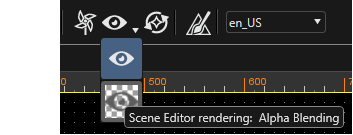
Using the icons in the toolbar the user can switch between "Normal Scene Editor Rendering" and "Alpha Blending Scene Editor Rendering".

<div drawio-diagram="1360"><img src="https://doc3161en.candera.eu/uploads/images/drawio/2023-02/drawing-4-1676531143.png" alt=""/></div>

<div class="contents" id="bkmrk--0"><div class="contents"><div class="textblock">  
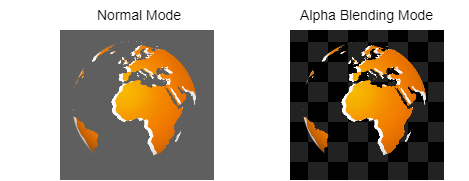
</div></div></div>The alpha blending render mode shows the check pattern in the background. The actual scene is rendered to an offscreen buffer and then blended against the background, that displays the check pattern.

<div drawio-diagram="1358"><img src="https://doc3161en.candera.eu/uploads/images/drawio/2023-02/drawing-4-1676531134.png" alt=""/></div>

<div class="contents" id="bkmrk--2"><div class="contents"><div class="textblock">  
</div></div></div>This approach enables the user to immediately test certain blend settings.