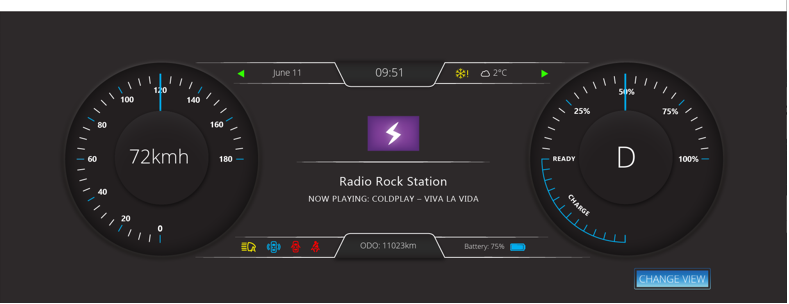
Adobe XD Importing
Description
InThis thissection section, explainexplains about Adobe XD file format, its layer structurestructure, naming conventions, and namingan part and the importingimport example bythat usinguses the concretea sample file.
Layer Structure and Naming Guideline
As samewith asPhotoshop PSDDocument (PSD) file format, the SmartImporter's AI will analyzeanalyzes imported files to detect/proposedetect, propose, and create Controls for the solution. Thus,Keep again recommended to keepthe Adobe XD layer format close to the standard Controls in Scene Composer. ThatThe naming guideline is as same as PSD,the pleasePSD guideline. For details, refer to the Recommended Layers Structure for Smart Importer in detail. .
Additional naming conventions exist for efficientefficiently import ofimporting AdobeXD files, such as the below.following.
Control: Text
The Smart Importer creates Text Control for each text layer will be set as Text Control..
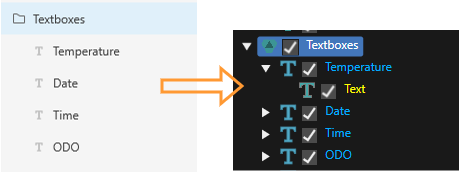
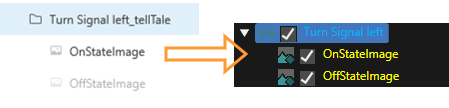
Control: Tell Tale
The layerSmart Importer creates a Tell Tale Control when the group name has athe _telltale suffix of "_telltale" and hascontains a child image layer will be set as Tell Tale Control..
Control: TextButton
The Smart Importer creates a TextButton Control when the layer that hasmeets either of the belowfollowing conditionconditions:
_Button suffix.
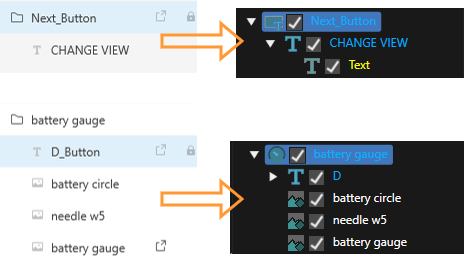
-
TheSmartRectangleImportershape issupports onlysupported,rectangletheshapes; it does not support othershapeshapes, such aspolygon isn't supported.polygons.
AdobeXD Features Supported by CGI Studio Smart Importer
The Smart Importer supports importing ofthe following Adobe XD features:
- Artboards
- Components
- Texts
- Text
- Font
- FontStyle
- FontSize
- FillColor
- Position
- Size
- Images
- Position
- Size
- Solid Rectangles
- Color
- Position
- Size
- Buttons
- Text
- Transitions
- TellTales
Artboards
EachThe Smart Importer converts each AdobeXD Artboard is converted into a Scene in SceneComposer.
Components
Adobe XD has a component system,system where componentsyou can bedefine definedcomponents once,once and instantiatedinstantiate them multiple times. If an artboard references a component, the Adobe XD converter looks up and instantiates components as needed.
Texts
The Smart Importer converts Adobe XD text areas are converted into Text Nodes in SceneComposer.
TheIt Smart Importer will readreads the configuration of the AdobeXDAdobe XD text and applyapplies the following properties to the SceneComposer Text Node:
Font
solid-Size
-
If
anthe AdobeXD file defines a text areais configured forwithAuto WidthandAuto Height, the Smart Importer cannot calculate thesize of thetext area(boundingbox).box.
Please also seeSee section Text Controls ofin the Adobe XD import exampleexample..
Images
The Smart Importer converts Adobe XD shapes ("type": "shape") with a pattern fill (a fill of "type": "solid") are converted to RenderNodes.
TheIt Smart Importer will applyapplies the following properties to the SceneComposer RenderNode:
- Position
- Size
Solid Rectangles
RectanglesThe Smart Importer converts rectangles (shapes of "type": "rect") with a solid fill (a fill of "type": "solid") are converted to SolidColorNodes.
TheIt applies the following properties will be applied to the SceneComposer SolidColorNode:
- Color
- Position
- Size
Please also seeSee section Rectangle ofin the Adobe XD import exampleexample..
Buttons
If the Adobe XD resource contains a group,group thewhose name of which ends with _Button, the Smart Importer will createcreates a TextButton.
-
The Smart Importer checks the suffix in a case insensitive way, so
_buttonor_BUTTON,etc.andwillsimilar also work.
The Smart Importer will applyapplies the following properties to the SceneComposer TextButton:
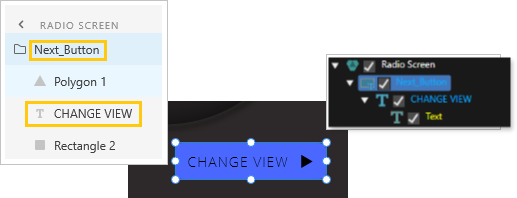
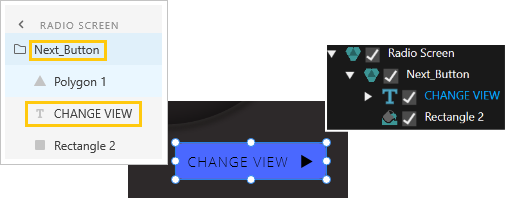
- Text - The Smart Importer uses the first text label
foundinside the Adobe XD groupwill becomeas the TextButton's Text.
-
The button depicted
above,above provokes a Scene transition.ThisThe Smart Importer takes this transitionis takenfrom the first artboard transitionfoundinside thegroupgroup.(seeSee Transitions).
Transitions
Adobe XD supports building interactive prototypes with serveralseveral kinds of transitions. A button maycan trigger a navigation transition to a different artboard, and a component maycan support transitions between different states etc.states. SceneComposer supports button-triggered sceneScene transitions generatedthat Scene Composer generates from artboard transitions in the XD file.
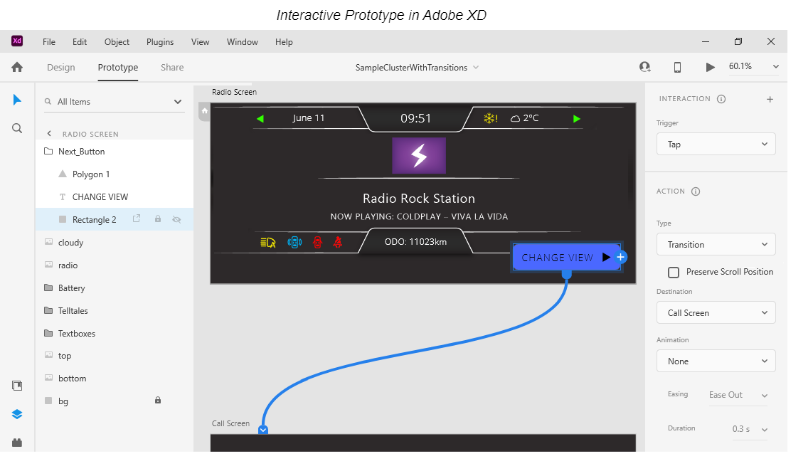
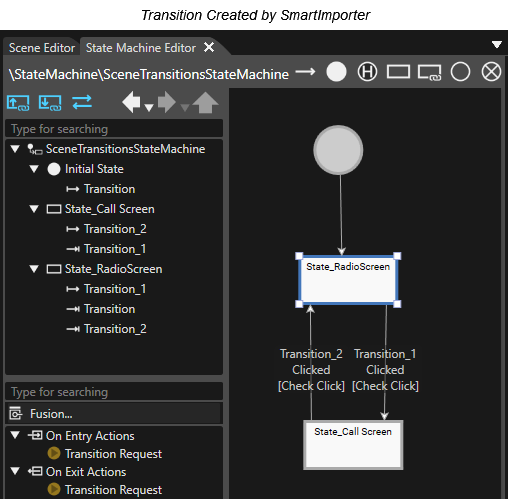
PleaseSee also see section Transition ofin thethe Adobe XD import example.
TellTalesTell Tales
The Smart Importer creates a TellTaleTell Tale Control for an Adobe XD group,group whose name ends with _TellTale.
OnStateOffState in its name, the Smart Importer sets it as the Tell Tale Control's Off State Image.
-
The Smart Importer checks the group name's suffix and the image names in a case insensitive way, so
_Telltaleor_telltale,etc.ONSTATE_pic,image_offstate_pictureandONSTATE_picorsimilarimage_offstate_pictureetc. willvariants also work.
Please also see sectionSee Tell Tale Control ofin the Adobe XD import example.
Adobe XD import example
Please get the mentionedThis sample Adobe XD file in the below location.
Using this sample, explain aboutexplains the layer structure and restrictions for Adobe XD.
Get the sample Adobe XD file from the following location:
"...\cgi_studio_content\2D\XD\XD_SampleCluster.xd"
Rectangle
ThoughThe thereSmart isImporter asupports only rectangle shapes for import, therefore it does not import the polygon in the group "Next_Button" ofgroup theas sample,depicted that isn't imported into a Solution in Scene Composer. This is because a rectangle shape is only supported for importing.below.
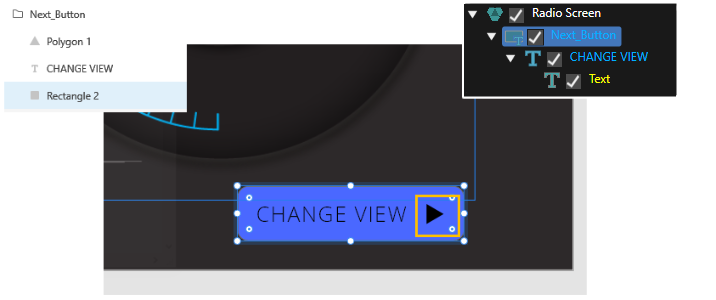
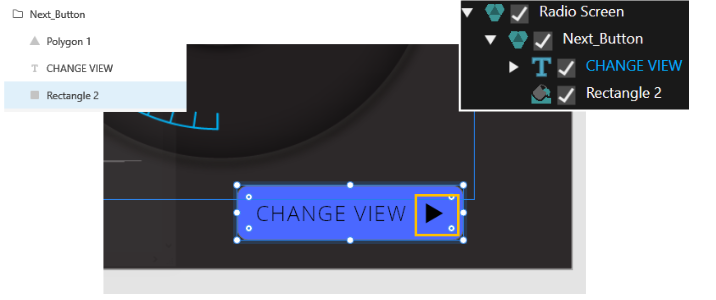
Text Controls
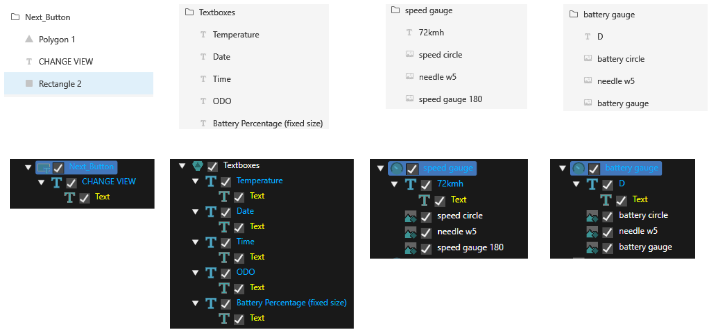
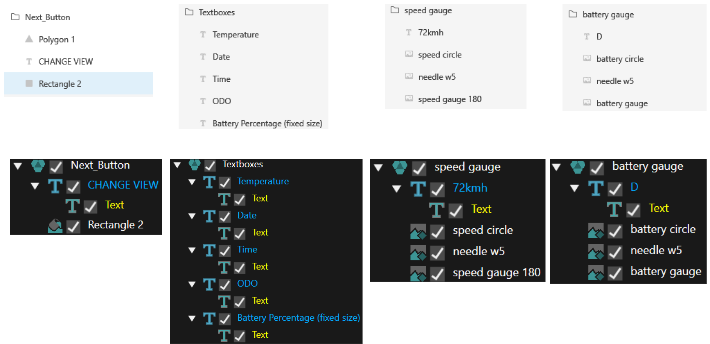
TextThe Smart Importer sets a text layer willas bea setText Control, as Textit Controldoes as same asfor other file format.formats. In this sample, the following layerlayers are text layers.layers:
- Change view under "Next_Button"
The allAll child layers under "Textboxes".72kmThe 72kmh label under "Speed gauge"- D under "Battery gauge"
Tell Tale Control
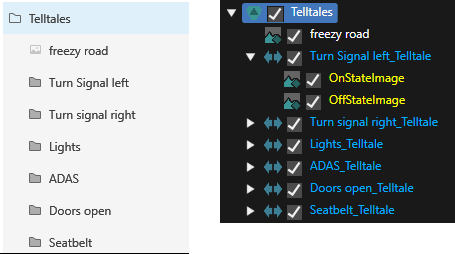
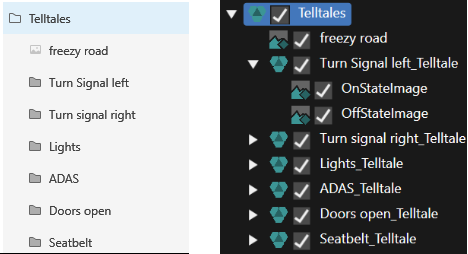
Since there is "TellTale" group inBecause the sample file andcontains thata "TellTale" group whose name has athe suffix_telltale ofsuffix, "_telltale",the Smart Importer sets its child image layers are set as Tell Tale Control.
Transition
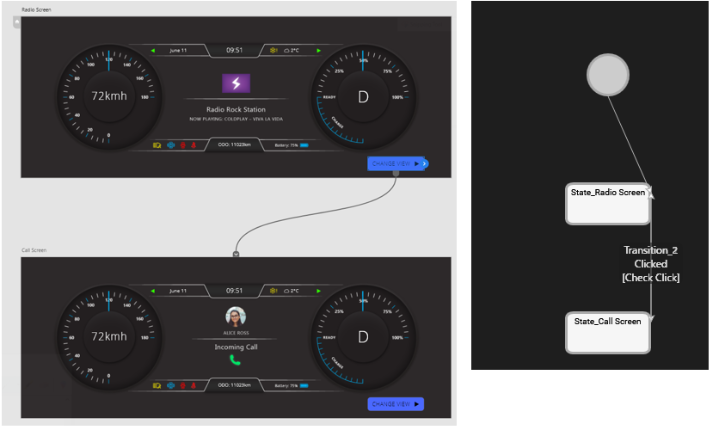
The Smart Importer transfers the transition setting that is createdincluded byin the Adobe XD is transferredfile to State Machine editor.Editor.
Other options
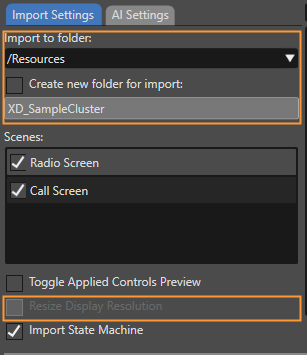
If necessary, please change the setting on "Import to folder"folder setting and its related options. And,Check mark "Resize Display Resolution"Resolution optionif just in case.needed.
PerformCheck the Import Result in the Player