
Import Benchmarks
CGI Analyzer is able to calculate render benchmarks. The result is a *.crsms file that you can export. It contains the calculated render time for each node that is part of a given scene. When you import a *.crsms file, CGI Analyzer makes node benchmarks available in the Render Benchmark node property. The camera render strategy Benchmark supports multi-pass rendering when benchmarks are available on the nodes of a scene,
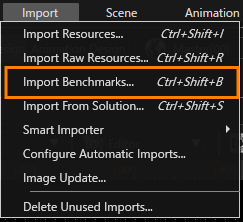
To import a benchmark *.crsms file, select Import > Import Benchmarks from the menu to open the Import Benchmarks dialog.
Click Select Files... and select a *.crsms file from the Windows Open dialog.
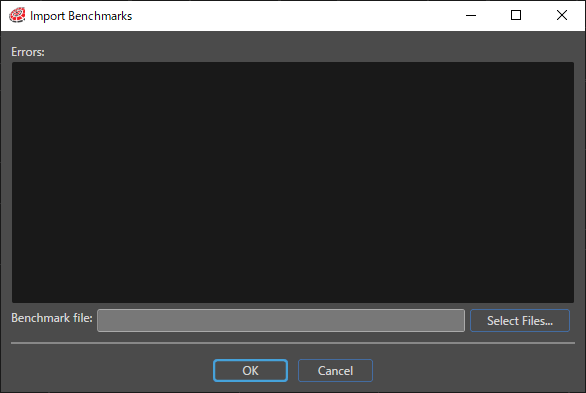
SceneComposer applies the values from the imported *.crsms file to the Render Benchmark property of all nodes. The Import Benchmarks dialog displays errors that occur after you select the *.crsms file.
For more detailed information, see CGI Studio Application Development Tutorial.